
A website wireframe is one of the first steps in planning a new website and plays a crucial role in web design.
Imagine building a house. You wouldn’t start with fancy rooms or shiny fixtures. Instead, you would sketch a basic floor plan. In web design, that basic sketch is called a website wireframe. Designers, businesses, and clients use website wireframes to make better websites, and knowing how they work helps you understand site development.
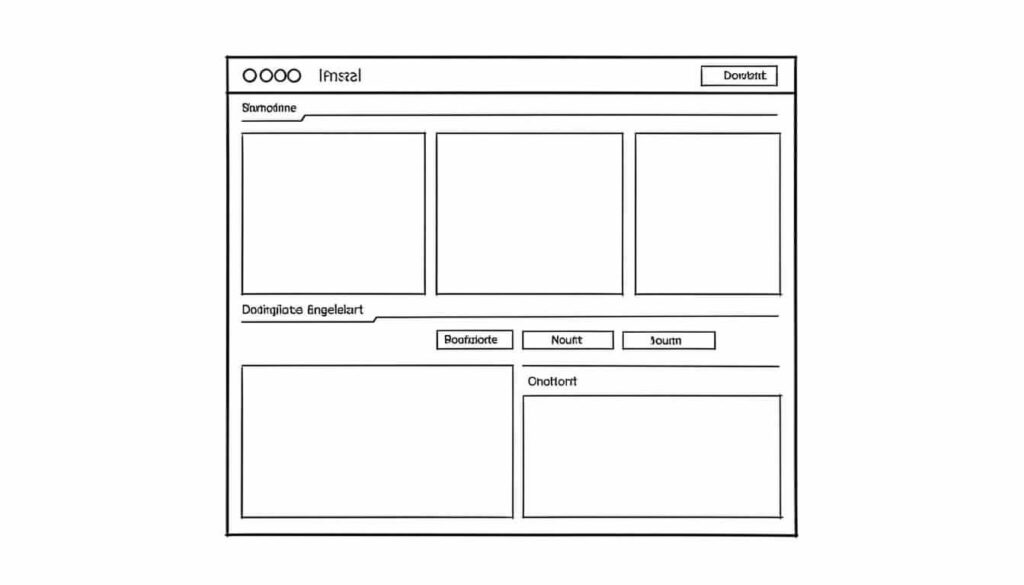
A website wireframe is a visual guide that outlines the structure of a web page without any styling, colour, or real images. Think of it as the skeleton of a website, showing sections like headers, navigation menus, main content, and footers. With a website wireframe, you can plan how visitors move through your site and where information lives, even before putting in graphics or text.
Wireframes became standard in web design at the end of the 1990s, as the internet expanded and websites became more complex. Many web designers still create wireframes for each new project to avoid expensive mistakes and confusion later.
When making a wireframe, designers use simple shapes: boxes for images or headings, lines for navigation, and placeholders for buttons or forms. These shapes map out the flow of information so that everyone involved can agree on the site’s layout early in the process.
Wireframes come in different levels of detail. Low-fidelity wireframes are basic sketches, often drawn with pen and paper. These are quick to make and easy to change. Higher-fidelity wireframes use digital tools and add more detail, such as clickable buttons or placeholders for text.
Interactive wireframes can let them click between pages, which helps them picture how users will travel through their site. Interactive wireframes can also help catch problems before any coding starts.

Website wireframes let designers and clients test ideas and organize information before spending time or money on building the actual site.
Wireframes are especially helpful for teams spread across different locations. Sharing a wireframe file means everyone can see, comment, and suggest changes in real time, making teamwork easier. Wireframes also act as a reference for everyone involved, from writers to web hosting technicians.
Besides planning content and layout, wireframes help make websites easier to use. Good wireframing forces you to think about user journeys. For instance, is the “Contact Us” button easy to spot? Does the navigation bar point to all the main sections? By mapping these features early, you build a site that makes sense and works well.
Wireframes also play a key role in optimizing mobile websites. As more than 60 percent of website traffic now comes from smartphones, designers must plan how a site resizes and works on small screens. Wireframes help test mobile layouts before spending resources on coding and hosting.
Using website wireframes can also highlight where accessibility improvements are needed. For example, a wireframe might reveal that buttons are too small or menus are too cluttered, which can make the site harder to use for people relying on screen readers.
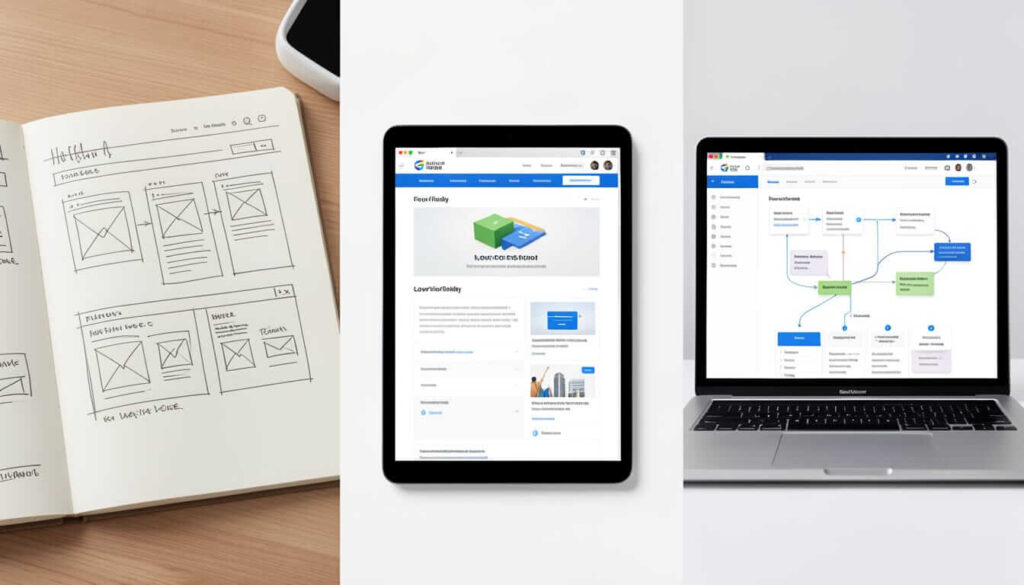
Once the wireframe is approved, designers start adding visual elements, like colours, fonts, and real images. This process is called prototyping. After the prototype looks right, developers write code to bring the design to life, connecting the website to databases and preparing it for public web hosting.
Wireframes keep the process efficient. With a solid website wireframe, the next steps run more smoothly, and the chances of costly changes are much lower.
There are many tools to make website wireframes, from free pen-and-paper sketches to advanced digital platforms like Figma, or Sketch. Digital wireframes are easy to share, edit, and link together, which is especially useful for collaborative projects.
A good wireframe focuses on layout and navigation but leaves colours, images, and text for later. This lets everyone focus on how visitors will use the site rather than its final look. At Tresseo, we can guide clients through wireframing to save time and improve communication from the start.
Next, after the wireframe phase, testing can begin, ensuring everything is functional and ready for launch. This bridges the gap between simple ideas and an effective, live website.
A website wireframe is the foundation for creating organized, easy-to-use websites. By mapping out the basic layout before adding graphics or code, designers save time, reduce mistakes, and create better experiences for everyone.
Whether using paper sketches or digital tools, wireframes guide projects from the brainstorming stage to a finished website. As digital spaces keep growing, learning about website wireframing remains a valuable skill for anyone working online.



Copyright © 2022 - 2026. Tresseo. All rights reserved.